
Upload
Clear yard, garden, or pool photo (JPG, PNG, HEIC)
Pick the tool that matches your space—then open its page for full guides. Best quality → Planning Sheet on each tool. Details ↓
Not sure? Compare cards below, or upload here and switch area tabs in the tool.
Foto hierher ziehen oder
JPG, PNG oder HEIC • Max. 20 MB • kein PDF
Guides: Hinterhof | Vorgarten | Seitengarten
Am besten eine Hauptstadt oder Region. Für klimagerechte Pflanzen und DIY-Listen-Sprache—Klimazone statt Ortsname.
Ausgabequalität
Scharfe, detaillierte Renderings. Pflanzennamen als Referenz; 2K/4K kann länger dauern.
Transformation level
How much should the AI change your yard? House and camera angle stay the same.
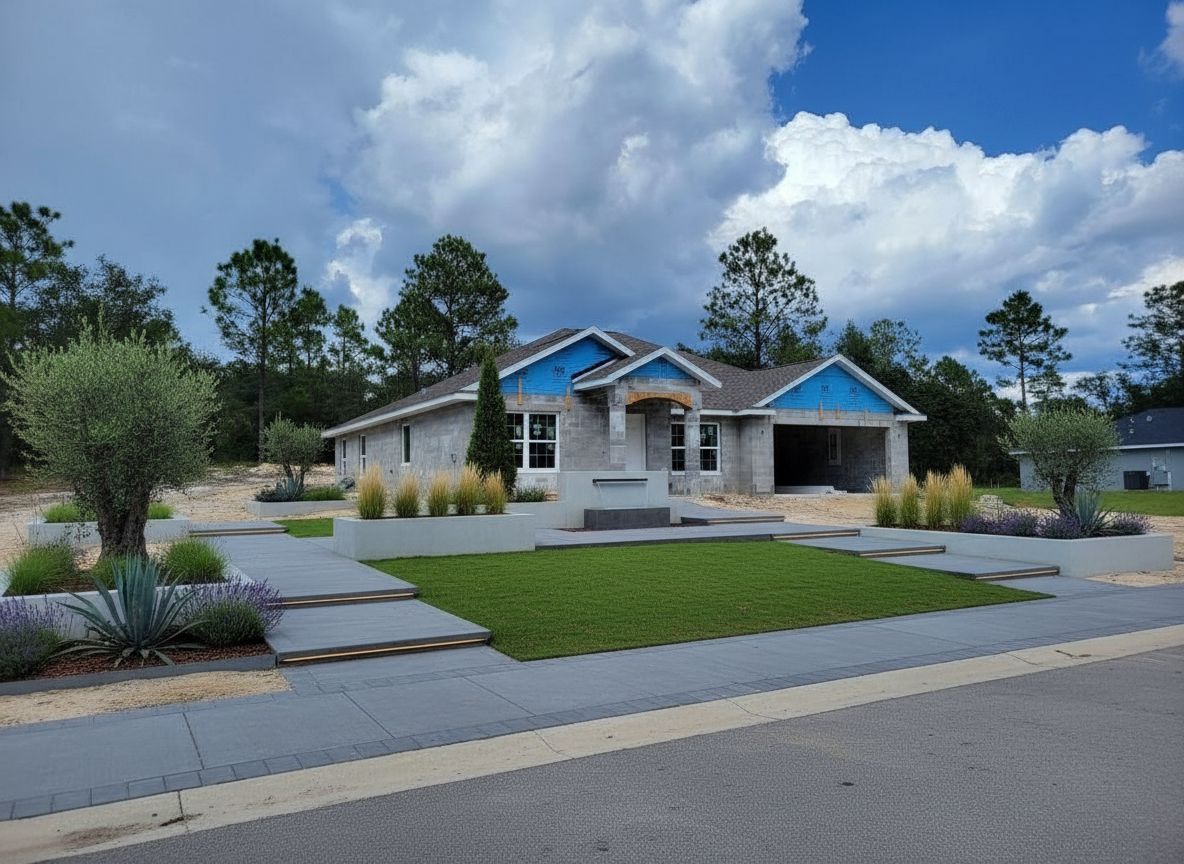
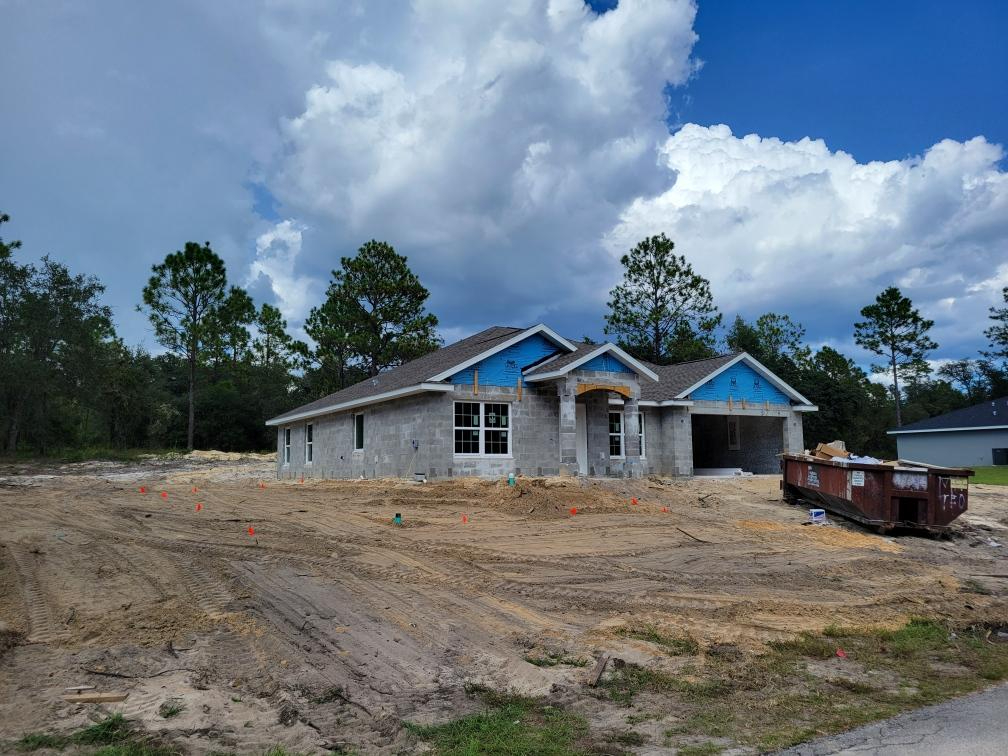 Vorher
Nachher (Quick-Vorschau · Modern Minimalist)
Kein Foto? Wählen Sie unten ein Beispiel.
Foto hochladen oder Beispiel unten wählen
Probieren Sie unser KI-Innenarchitektur-Tool für Wohnzimmer, Schlafzimmer, Küchen und mehr.
Facts for this yard & garden tool. For the full platform (interior, Quick Edits), see the homepage.
| Fact | This generator |
|---|---|
| Best quality output | Planning Sheet: hero view, numbered plants (1–8) on your photo, and a localized DIY list with climate-fit names and quantities |
| Quick preview | 1 credit per image—layout ideas only; no numbered plants or DIY list |
| Free to start | 2 free credits after sign-in (~1 Best sheet at 1K or 2 Quick previews) |
| Area types | Front yard, backyard, patio, side yard, garden retreat, pool & spa, exterior house |
| Scope | Home-scale outdoor spaces. For parks and large commercial sites, use AI Landscape Design. Compare tools: best AI landscape tools (2026). |
Hub page—pick front yard, backyard, patio, garden beds, pool, or facade, then generate on that dedicated tool.
This page is the outdoor tool picker—not a single catch-all generator. Use it to choose the right residential workflow: Front Yard and Backyard for whole-yard curb or living functions; Patio, Deck, and Balcony for ground or raised outdoor rooms; Garden for planting beds and borders; Side Yard and Pool & Spa for narrow corridors or water surrounds; Exterior for facade materials (not planting). Each linked tool has its own presets, GEO guide, and Best-quality Planning Sheet with numbered plants or accents plus a DIY list when you add your city. Quick preview (1 credit) on any tool is layout-only. For parks and campuses use AI Landscape; for one small photo tweak use Quick Edits. New accounts receive 2 free credits after sign-in.
One run can deliver a clean hero view, numbered callouts on your photo, and a climate-fit DIY list—built for homeowners who want more than a pretty render.
Not this tool? Large parks & sites Indoor rooms

Clear yard, garden, or pool photo (JPG, PNG, HEIC)
Area type, style, optional elements & location
Best Planning Sheet or Quick preview—cost on the button
Fine-tune layout or planting when you need tweaks
Open the tool that matches your photo—each link goes to a dedicated page with presets and planning guides.
Für Wohngrundstücke: Vorgarten, Hinterhof, Terrasse, Garten, Seitengarten, Pool. Parks und Gewerbe: großflächiges KI-Landschaftstool.
Ja. Die Oberfläche ist ohne Konto erkundbar. Zum Generieren ist Anmeldung nötig; neue Konten erhalten Gratis-Credits für Garten- und Hofentwürfe.
Ja. Generieren und Download erfordern Anmeldung, damit Credits fair angewendet und Arbeiten dem Profil zugeordnet werden.
JPG, PNG oder HEIC bis 20 MB pro Datei. PDF wird nicht unterstützt – bitte als Bild exportieren.
Meist etwa 1–2 Minuten. Best-Qualität in 2K/4K kann länger dauern.
Quick-Vorschau: 1 Credit pro Bild (weichere Details, keine Pflanzennamen auf dem Bild). Best-Qualität: 2 Credits bei 1K, 3 bei 2K, 4 bei 4K (schärfer, optional Pflanzennamen). Der Button zeigt die Kosten für Ihre aktuelle Einstellung.
Best-Qualität ist Standard: schärfer, optional Pflanzennamen, höhere Auflösung. Quick ist schneller und günstiger für Entwürfe, ohne Labels. Bei Auslastung kann Quick genutzt und entsprechend berechnet werden.
Dieser Generator ist für Wohn-Gärten, Höfe, Pools und Seitengärten. Für Parks, Campus, Straßenräume und große gewerbliche Projekte das verlinkte KI-Landschaftstool nutzen.


