
AI Side Yard Design Generator
Optimized for narrow strips and pass-through spaces. Choose a side-yard style, add location (recommended), then generate. Sign in to use credits.
1. Upload Your Side Yard Photo
Drag & drop your photo here or
JPG, PNG or HEIC • Max 20MB • PDF not supported
2. Choose Side Yard Style & Options
One primary city or region works best. We use it for climate-appropriate plants and your DIY list language—shown as a climate zone, not a place name.
Transformation level
How much should the AI change your yard? House and camera angle stay the same.
Quality
Sharper renders with three cards: clean design, item markers, and a localized DIY plan list (plants, paths, water features, edging). 2K/4K helps legibility; may take longer.
Your AI-Generated Landscape Design
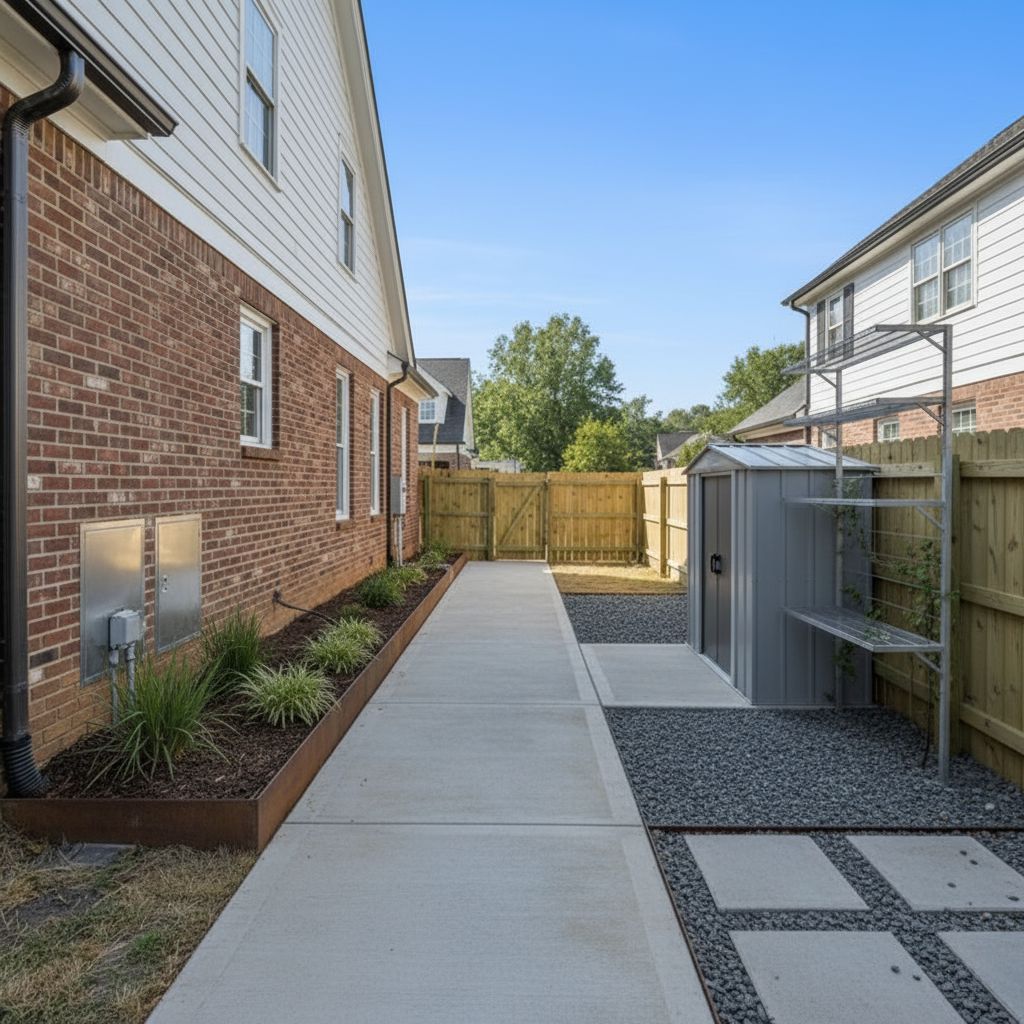
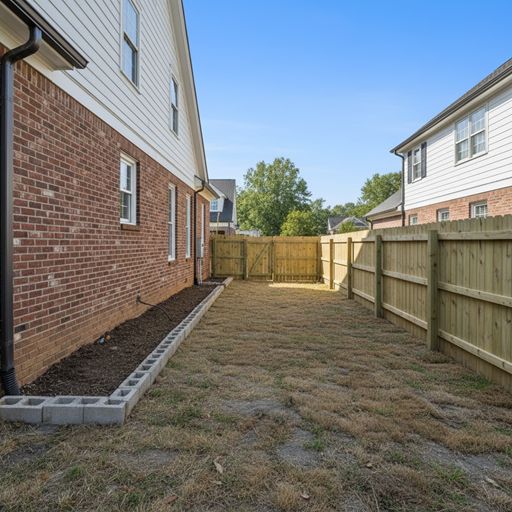 Before
After (Quick preview · Utility Corridor)
Before
After (Quick preview · Utility Corridor)

Try Sample Images
No photo handy? Pick a sample below to preview the tool.
Ready to Generate
Upload your photo or try a sample image below
Also redesigning indoor spaces?
Try our AI Interior Design tool for living rooms, bedrooms, kitchens, and more.
Turn your narrow side yard into a functional, beautiful space. Upload a photo, choose a style, and get an AI-generated design in minutes. Free to start.
On the generator above, add your location (optional, recommended) so planting and materials lean climate-appropriate for your area.
What you get
Side yards are tight corridors—utility access, passage, vertical green, or a quiet walk—so every inch counts. Upload a photo of the narrow space, pick a side-yard style, and add your location (recommended): in about 1–2 minutes you get a high-resolution visual you can download. Adding a location helps keep plantings and surfaces realistic for your climate and typical shade along the house. Next, share it with a contractor or switch styles to compare layouts.
How It Works
Upload Photo
Take or upload a clear photo of your side yard showing the narrow space. Our AI will analyze the dimensions and current layout.
Choose Style
Select from 6 specialized styles including Utility Corridor, Vertical Garden, Zen Walkway, Cottage Lane, and more—all optimized for narrow spaces.
Get AI Design
Our AI generates a professional side yard design in 1-2 minutes, showing you how to maximize your narrow space effectively.
Download & Implement
Download high-resolution design images and use them as a blueprint for your side yard transformation project.
What You Can Design
- Utility Corridor
- Vertical Garden
- Zen Walkway
- Cottage Lane
- Modern Utility
- Secret Garden
FAQ
- Is it free?
- Yes. You get free credits to start. No credit card required to try our AI side yard design tool.
- Do I need to create an account?
- You can explore without an account. Sign up when you're ready to save and download your side yard designs.
- How long does it take to get a design?
- Usually 1–2 minutes after you upload a photo and choose your side yard style.
- What photo quality do I need?
- Any clear photo works—from your smartphone is fine. Make sure the side yard area is visible and shows the narrow space clearly.
- Can I modify the design after generation?
- Yes, you can regenerate with different styles or use our customization tools to adjust vertical elements, pathways, and plantings.
- How accurate are the AI designs?
- Our AI designs are based on professional landscape architecture principles and show realistic transformations optimized for narrow side yard spaces.
- Do I need design experience?
- No design experience needed. Our AI handles all the complex design work—you just choose a style and get professional results.
- What file formats can I download?
- You can download high-resolution images in standard formats suitable for sharing with contractors, printing, or saving for reference.
Also try: AI Backyard Design | AI Front Yard Design
AI Yard Design Generator — choose any area type