
Transform Your Outdoor Space with Professional AI Landscape Design - Step-by-Step Guide
Traditional landscape design has always been expensive, time-consuming, and requires professional expertise. In 2026, the most useful AI landscape tools start from your real photo—keeping your home’s structure while transforming the yard, patio, or garden. AI technology is making professional-quality outdoor concepts accessible to everyone.
AI Yard Design Studio is a professional AI-powered tool that transforms your outdoor space photos into landscape designs in minutes. Sign up for free credits to try Quick preview or Best quality. No drawing on your photo is required.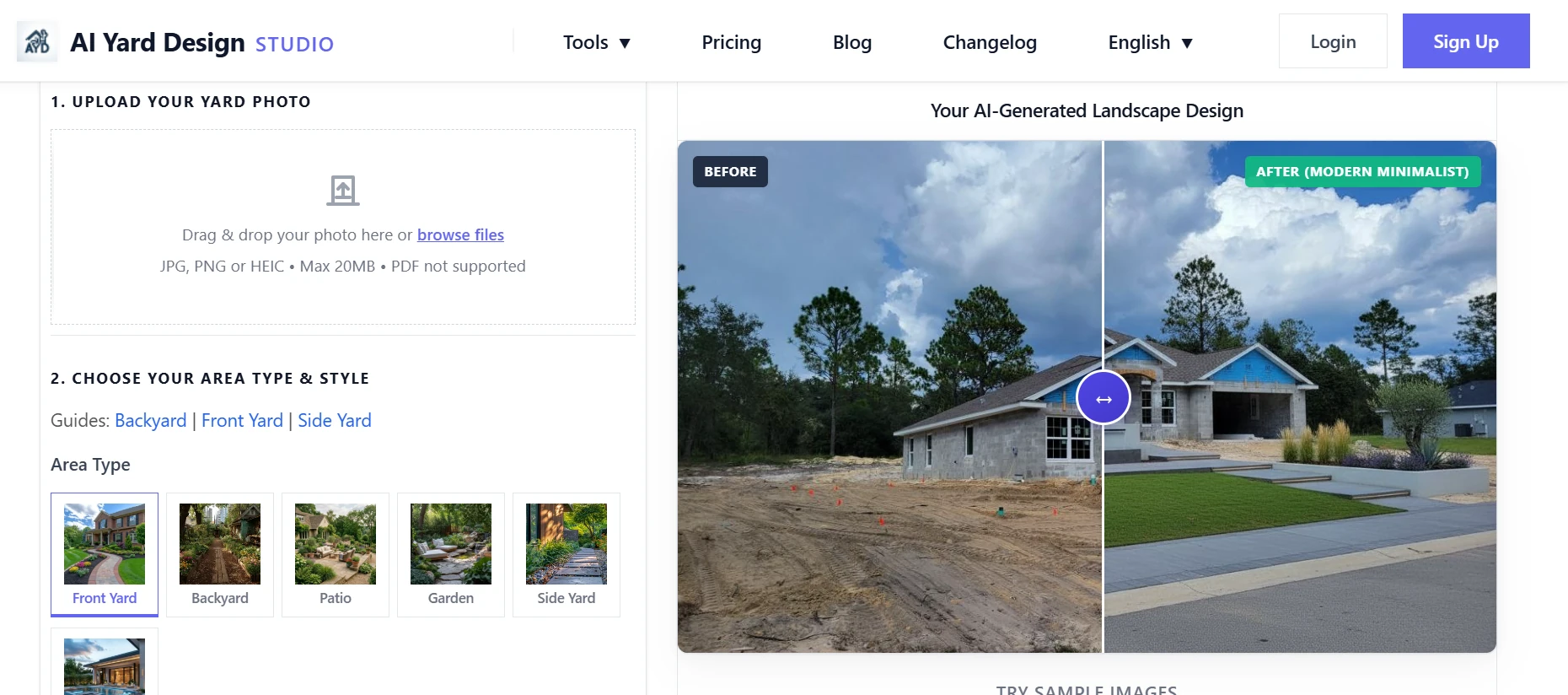
AI Landscape Design Tool Overview
What is AI Yard Design Generator?
AI Yard Design Generator is a professional AI-powered landscape design platform that uses photo-based image editing to create outdoor space designs. It transforms your yard or patio photos into photorealistic concepts while preserving your home's structure—not a generic render of a different property.
Key Features:
Professional quality - Based on landscape architecture principles.
Instant generation - Results in minutes, not weeks.
Six area types - Front yard, backyard, patio & terrace, garden, side yard, pool & spa.
Climate-aware Location-Optional city/region for planting and a localized DIY list.
Best quality 3-part sheet-Clean design, item numbers , and DIY planning list.
Fine-tune-Adjust materials, plants, or features without starting from scratch.
Detailed Feature Introduction
Outdoor Space Types
The tool supports 6 outdoor space types with specialized design approaches:
AI Front Yard Landscape Design
Enhance your home's curb appeal with 10 professional design styles tailored for front yard landscapes—from Modern Minimalist and English Garden to Mediterranean and Japanese Zen. [Try front yard design →]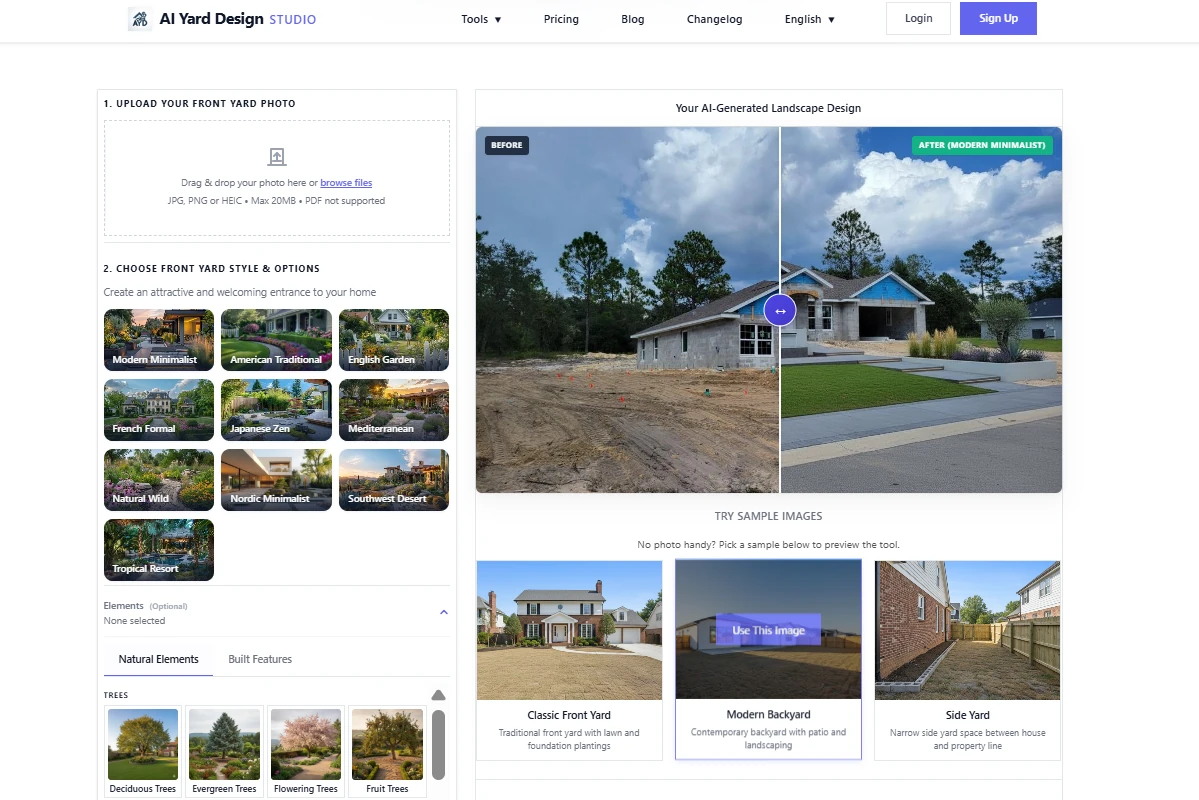
AI Backyard Landscape Design
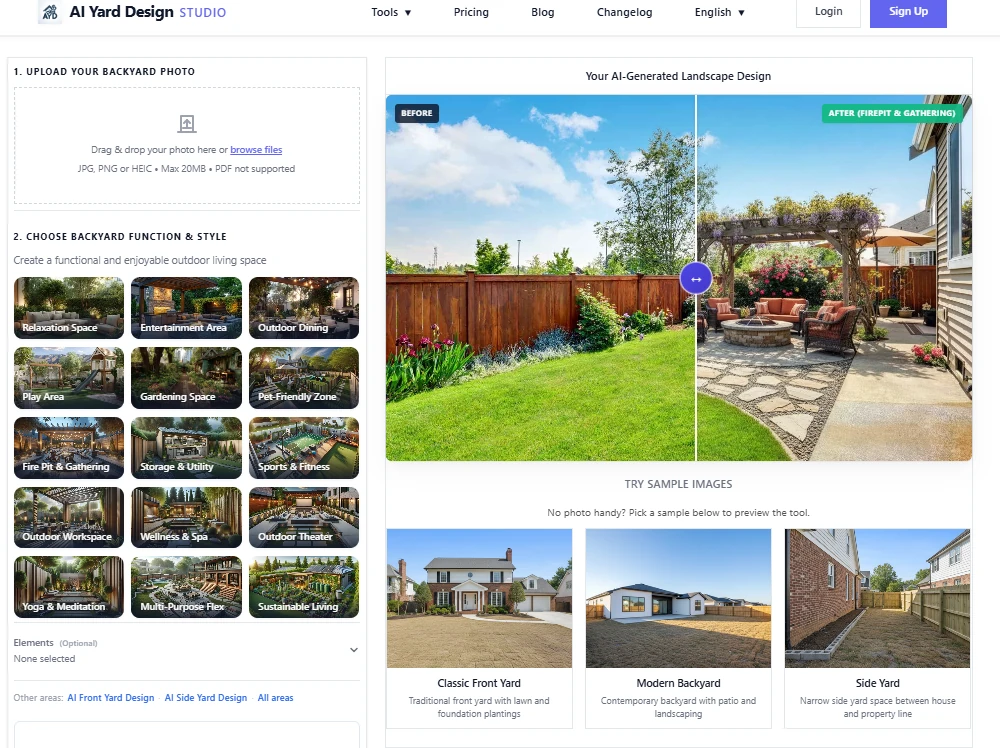
Choose from 15 functional layouts: Relaxation Space, Outdoor Dining, Entertainment Area, Play Area, Gardening Space, Fire Pit & Gathering, Pet-Friendly Zone, Outdoor Workspace, and more. Try backyard design →
AI Patio & Terrace Design
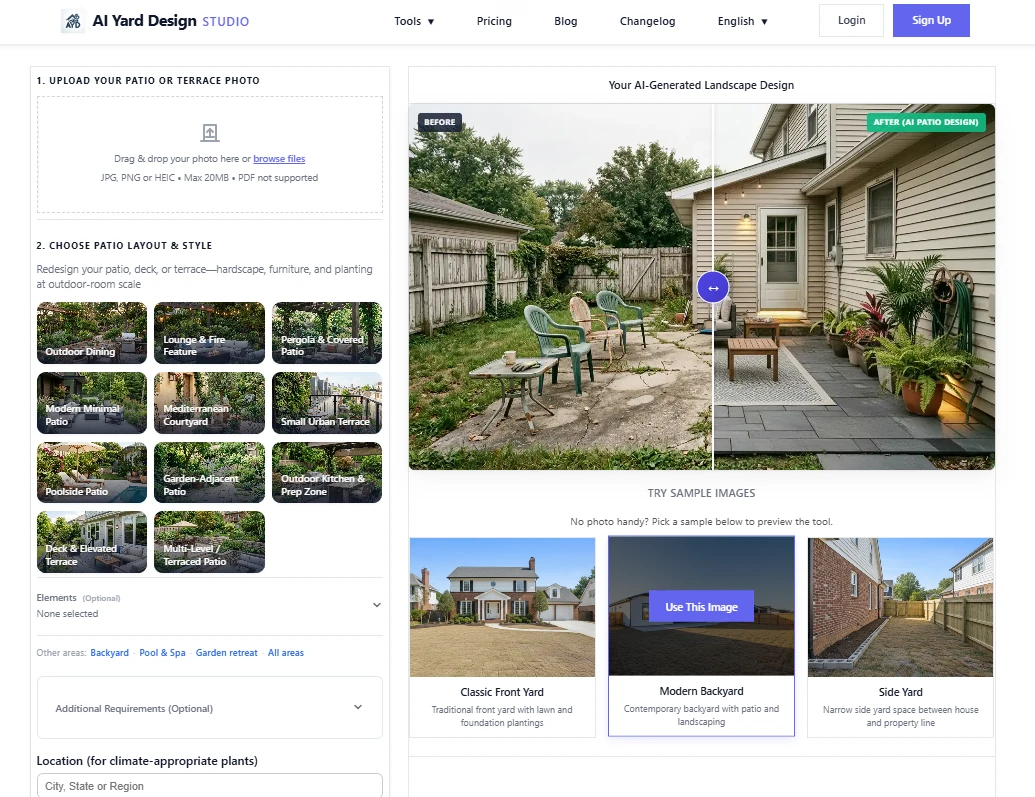
Redesign hardscape-forward outdoor rooms with 11 layout presets: Outdoor Dining, Lounge & Fire Feature, Pergola & Covered Patio, Modern Minimal Patio, Small Urban Terrace, Outdoor Kitchen, Multi-Level Patio, and more. Try patio design →
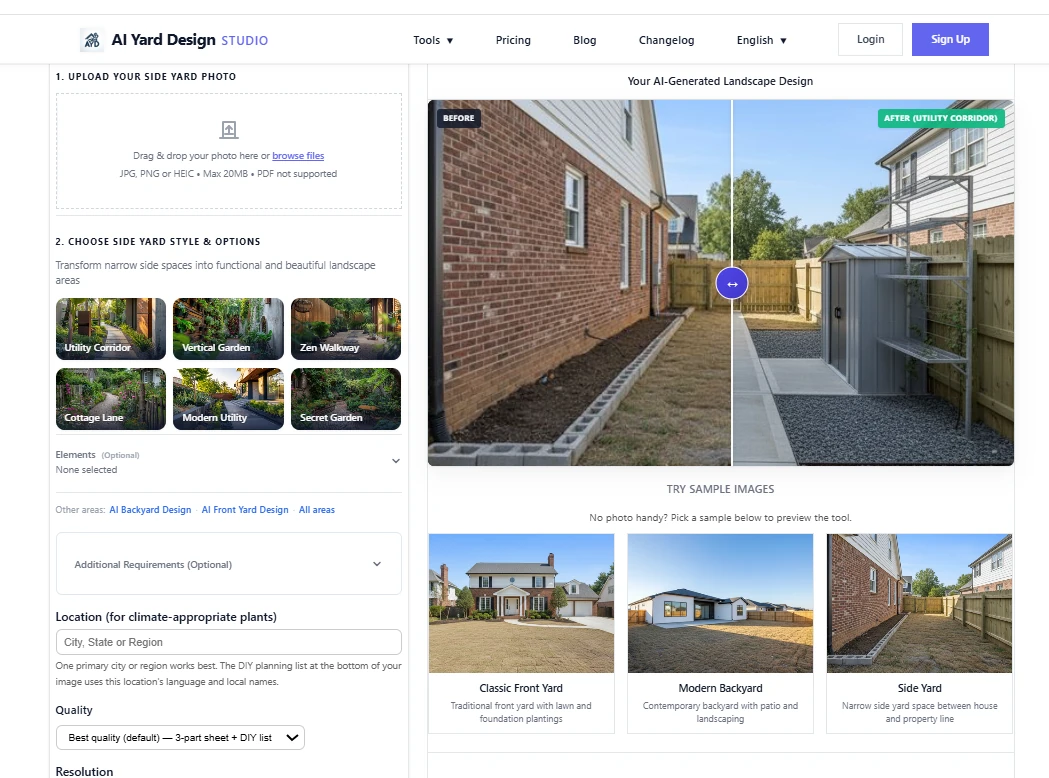
AI Side Yard Landscape Design
Side yard design specializes in transforming narrow spaces between buildings into functional and beautiful landscape areas. The tool offers 6 professional design styles specifically tailored for side yard spaces: Utility Corridor,Vertical Garden,Zen Walkway,Cottage Lane,Modern Utility,Secret Garden.Try side yard design →
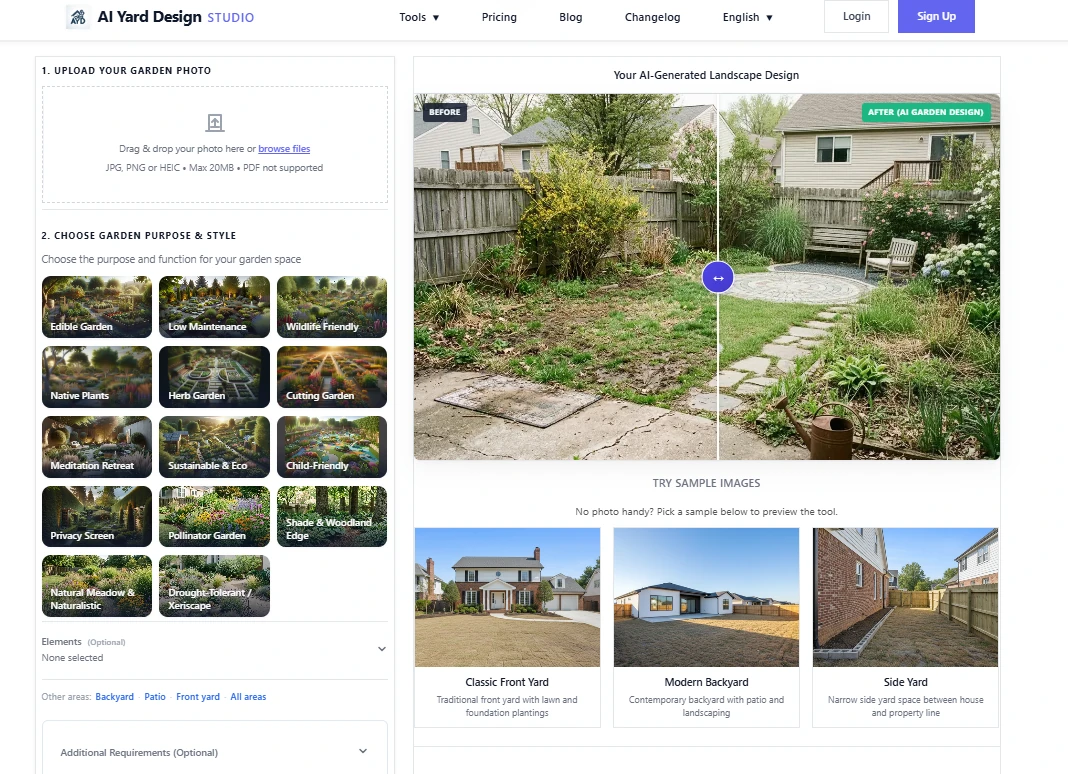
AI Garden Retreat Design
Plan gardens by function with 14 options: Edible Garden, Pollinator Garden, Drought-Tolerant / Xeriscape, Herb Garden, Meditation Retreat, Native Plants, Low Maintenance, and more.
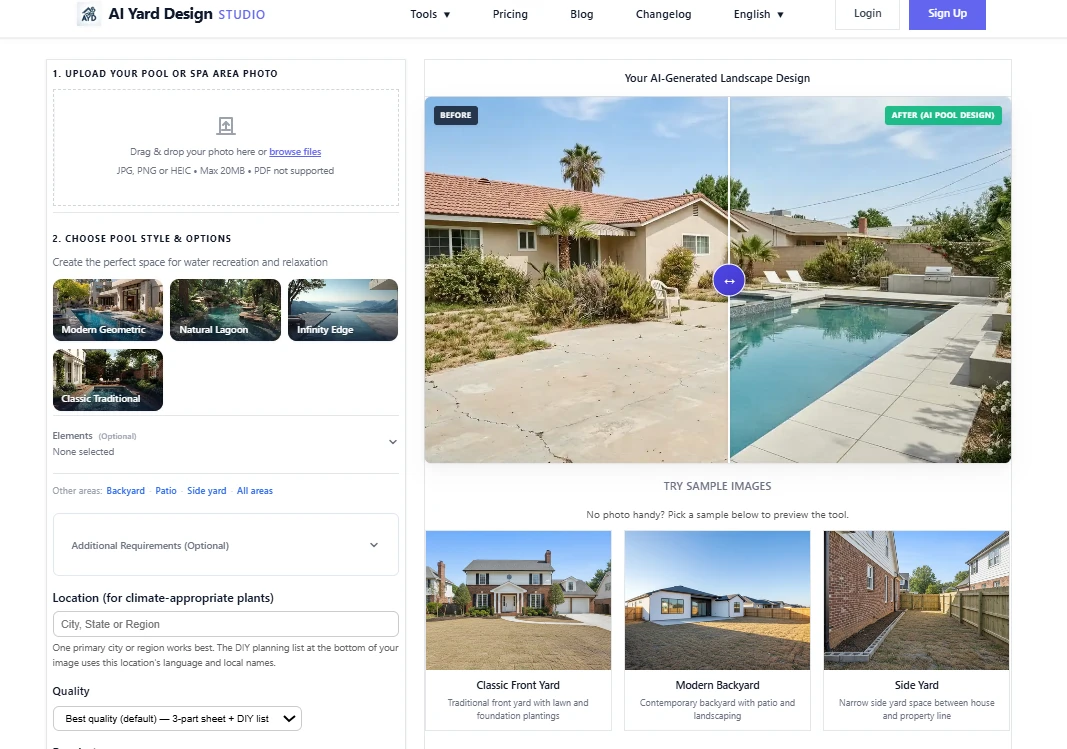
AI Pool & Spa Design
Transform your space into a luxury resort with 4 pool styles: Modern Geometric,Natural Lagoon,Infinity Edge,Classic Traditional.
Step-by-Step AI Landscape Design Usage Guide
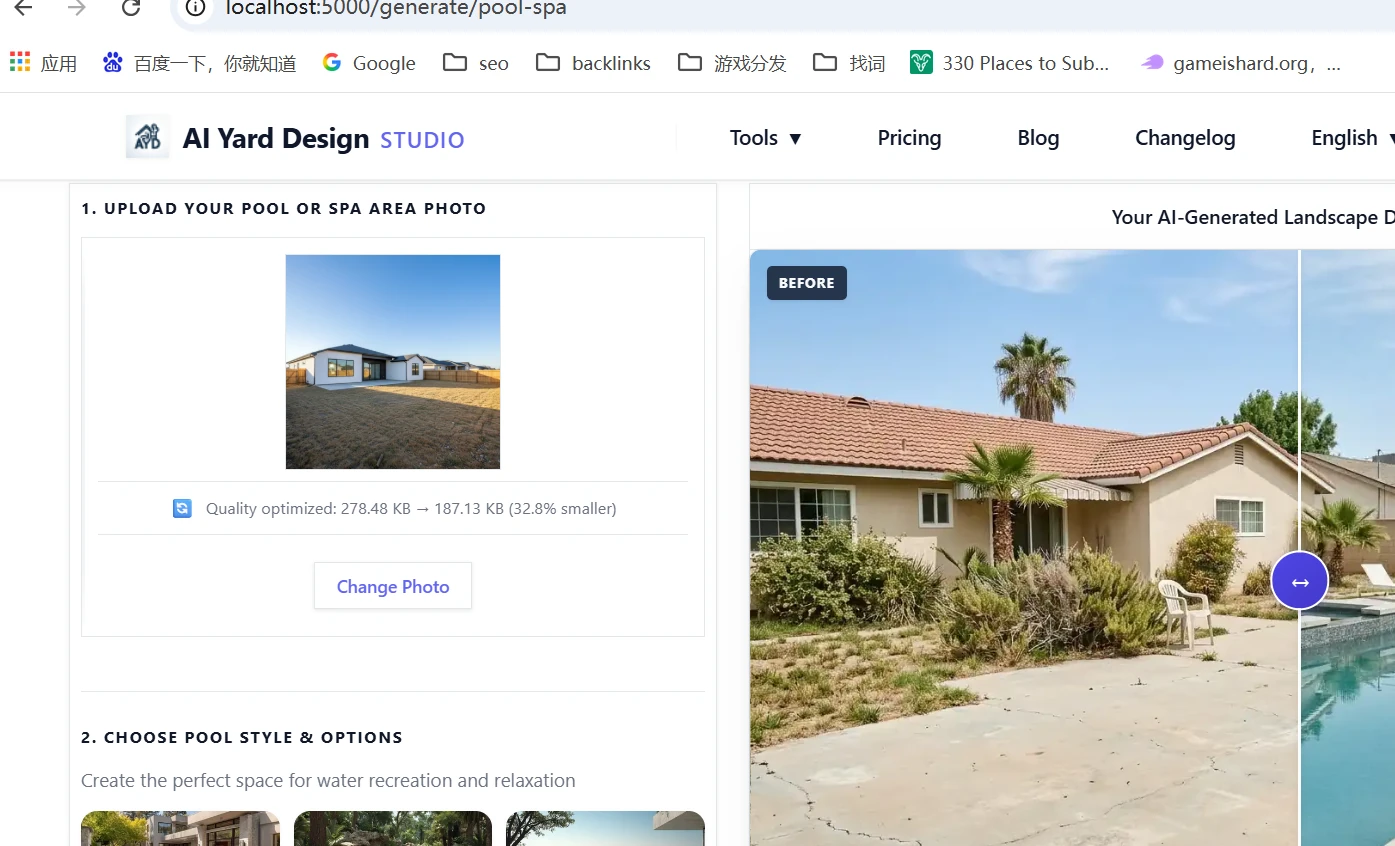
Step 1: Upload Your Photo
Visit AI Yard Design Generator
Sign in (required to generate). You can explore the page first.
Upload JPG/PNG/HEIC, up to 20MB—or use a sample image.
Daylight, standing height; show house and main yard/patio
Step 2: Choose Your Area Type and Options
Select one of six area type tabs: Front Yard, Backyard, Patio, Garden, Side Yard, or Pool & Spa. The AI focuses on that zone—you do not draw or outline regions on your photo.
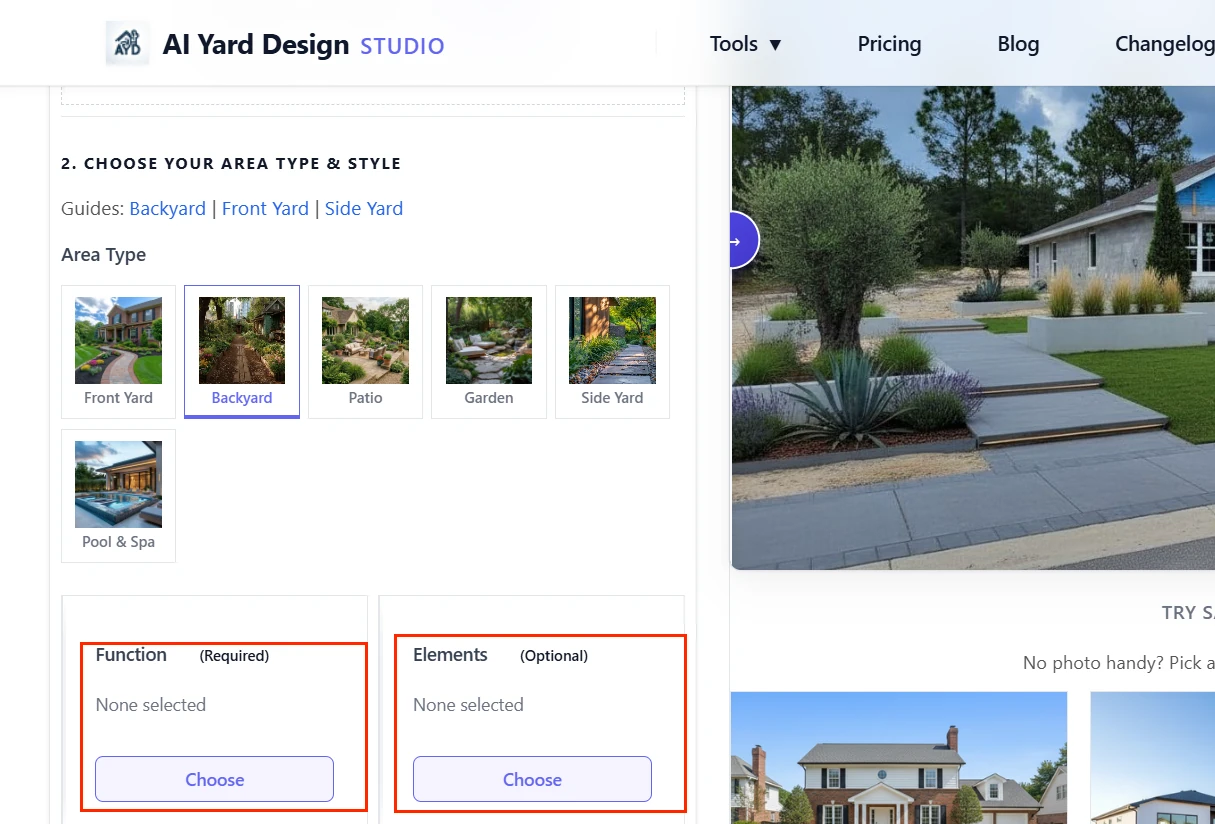
Click the Style or Function card to open the picker and choose your main option (for example, Modern Minimalist for a front yard or Outdoor Dining for a patio).
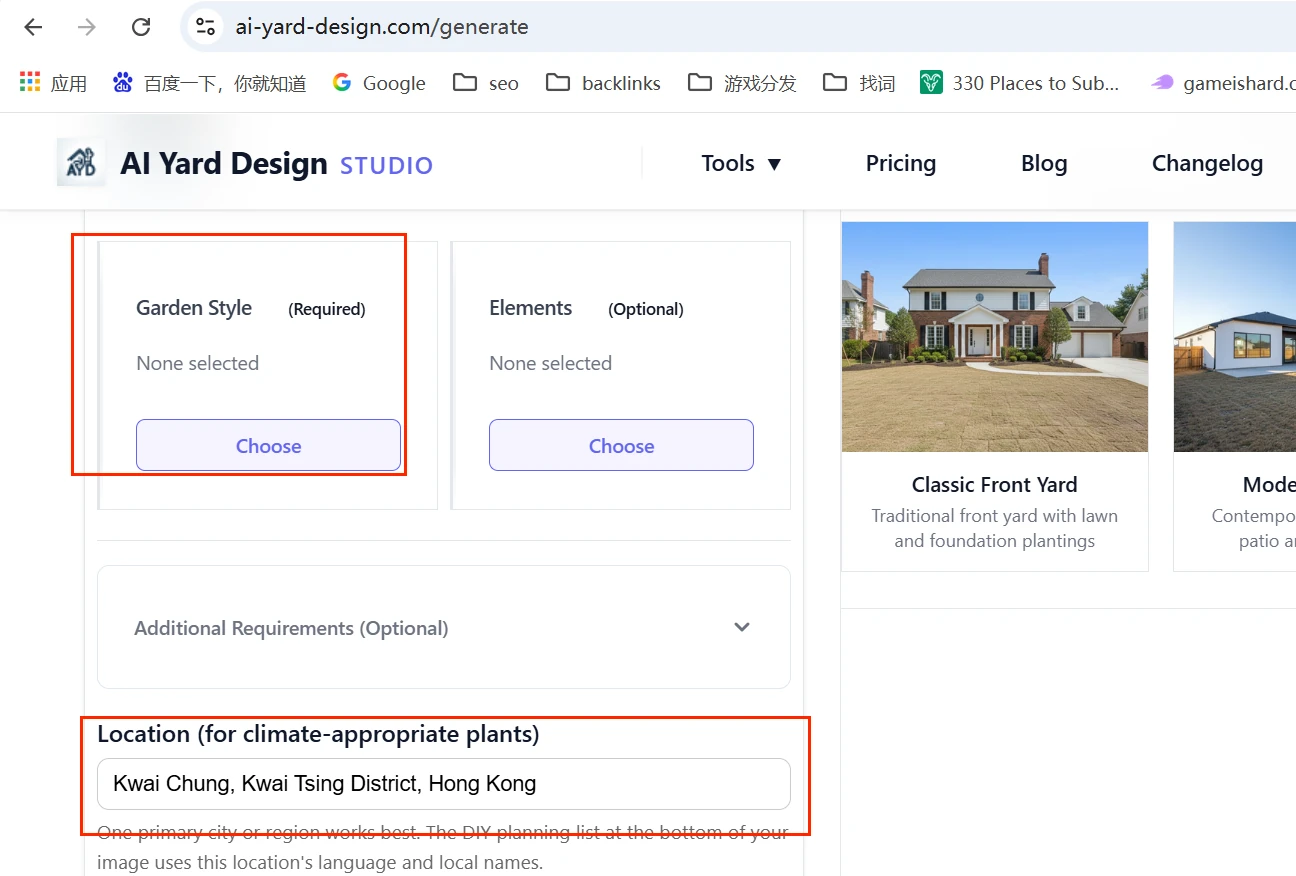
Optionally add Elements (plants, pergola, fire pit, paths), fill in Location (recommended—for climate-fit planting and a localized DIY list), and add custom notes (e.g. "pet-friendly, low maintenance").
Step 3: Choose Design Style and Function
Confirm your style or function from the picker (Step 2). Preview how different options fit your space type.
Optional additions:
• Elements — plants, hardscape, pergola, fire pit, seating, and more
• Location — e.g. Austin, TX or Portland, Oregon (climate-aware plants; Best quality DIY list uses local language and names)
• Additional Requirements — any special needs in plain English
The AI uses these selections together.
Step 4: Generate and Download Your Design
Choose quality and resolution:
• Quick preview (1 credit) — fastest; single clean image; good for testing direction
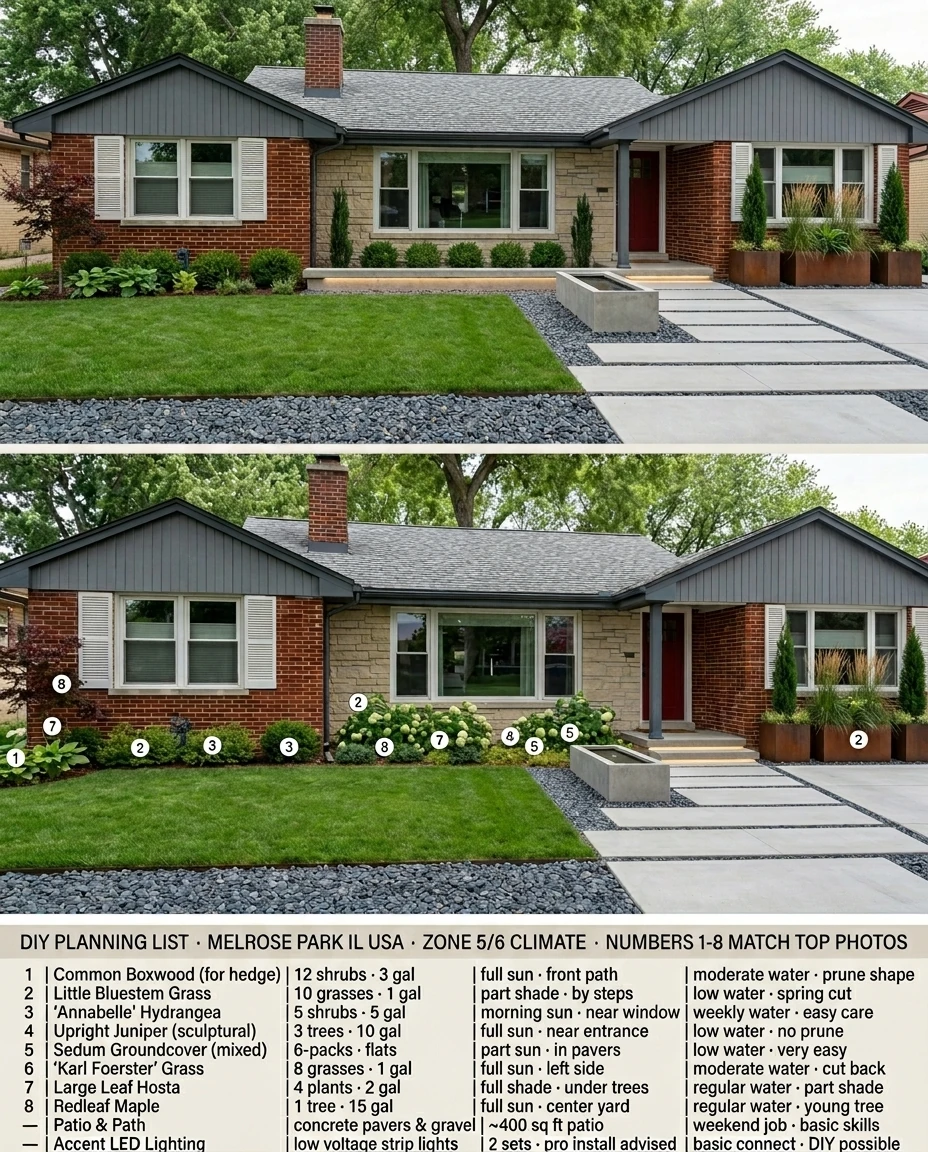
• Best quality (default) — 3-part design sheet at 1K (2 credits), 2K (3 credits), or 4K (4 credits):
- Top: Your design (clean final view, no numbers)
- Middle: Item numbers (circles 1–8 on plants)
- Bottom: DIY planning list (mostly plants + brief hardscape notes)
Click Generate Design. The button shows how many credits the run uses. Generation usually takes 1–2 minutes (2K/4K may take longer).
When ready:
• Click the image for full size
• Download or Share
• Read the three bands on a Best quality sheet
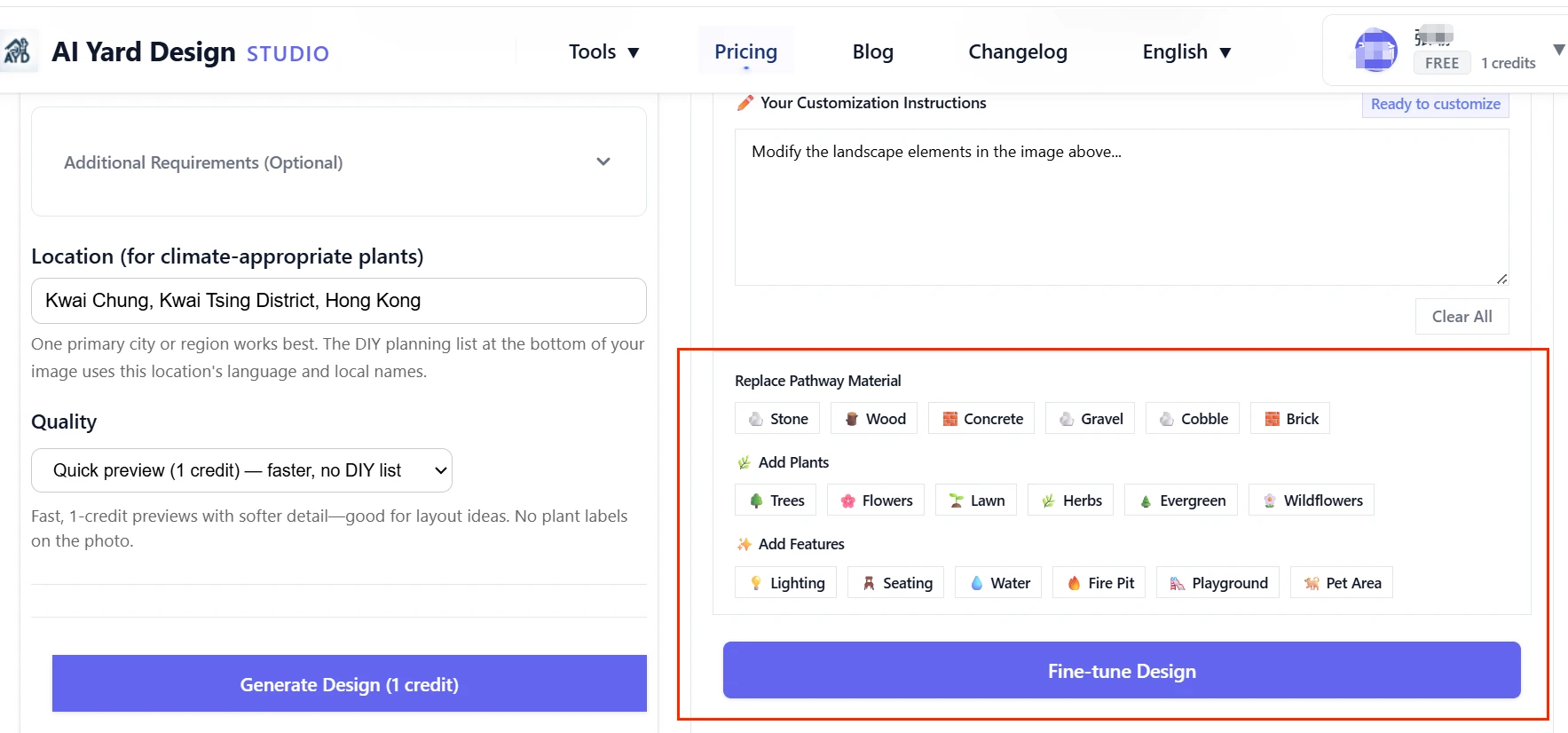
Fine-tune (optional): Use Fine-tune Your Design to describe small changes—e.g. "swap gravel for stone pavers" or "add a fire pit"—without losing the overall style.
Tips for Better Results
• Fill in Location — reduces climate mismatches and localizes the DIY list
• Use Quick preview to explore, then Best quality at 2K/4K when ready to plan
• Be specific in custom notes — "drought-tolerant native shrubs" beats "nice garden"
• Match area type to your project — patio hardscape belongs under Patio
• Regenerate if needed — AI output varies; tighter notes help
Frequently Asked Questions
Do I need to draw on my photo?
No. Choose an area type tab and your options. There is no lasso, outline, or Complete Selection step.
Is AI landscape design free?
You can browse without an account. Generating requires sign-in and credits. New accounts receive 2 free credits(enough for one Best quality design at 1K). See pricing.
What is the difference between Quick preview and Best quality?
Quick preview (1 credit) returns one clean image quickly. Best quality returns a taller 3-part design sheet with numbered plants and a DIY planning list—2 credits at 1K, 3 at 2K, 4 at 4K.
How does Location affect my design?
Location guides climate-appropriate plants and materials. On Best quality, the bottom DIY list uses your location's language and familiar local plant or nursery names.
Can AI replace a landscape architect?
No. Use results for concept and DIY planning. Verify drainage, permits, and construction with qualified professionals.
AI Landscape Design Conclusion
AI technology is democratizing landscape design, making professional-quality outdoor spaces accessible to everyone. AI Yard Design Generator combines cutting-edge AI technology with landscape architecture expertise to deliver stunning results in minutes.
Whether you're looking to enhance your front yard's curb appeal, create a relaxing backyard retreat, or design a luxurious pool area, this design tool provides everything you need to bring your vision to life.
Ready to create your perfect outdoor space? Start designing now with AI Yard Design Generator—start with free credits, and transform your yard in minutes.